Editing Web Templates for Websites

April 14th, 2008

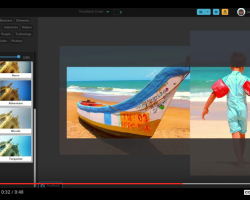
You need to a flashplayer enabled browser to view this YouTube video

Color to Black and White for Printing

April 14th, 2008

You need to a flashplayer enabled browser to view this YouTube video

Introductions to CS3 Preferences Setup

April 14th, 2008

You need to a flashplayer enabled browser to view this YouTube video

Photoshop FACT FINDER Pages

April 14th, 2008

I’m currently also adding here a useful little area: FACTS!

They can be Viewed in the Fact Finder Area:!

http://photoshop-tricks.com/Fact-Finder/ 

factfinder.

Learn Through Videos for FREE!

April 13th, 2008

It would be remiss to leave out the large collection of online videos that Adobe.com has online for just about all of their Products. After all they want people to know their software. So head on over to the http://www.adobe.com/designcenter/video_workshop/ Section.

There’s bound to be something you’re looking to learn!

Adobe Design Center

What’s Been Happening Lately?

April 10th, 2008

I’ve been creating some Banners for the New Affiliate Section Opening soon. Of course all Free Members should already be Affiliates Automatically - Just check your Member Info Page. All Referrals that result in a Template Vault Purchase will Pay-Out 80% Just like the Banners Says! Here’s an example of a more Fanciful Banner Being readied:

. . . . . . .

paint banner marquee banner

. . . . . . .

250x

More Updates Soon!

world banner

. . . . . . .

redban


How to Pixelate Faces

April 9th, 2008

Say you have a photograph and you want to make the faces obscure… pixel facesFirst Draw a Selection around the faces using either the Oval Tool or the Lasso Tool.Next Select FILTER> Pixelate >Mosiac ; Then select a nice number for the pixelation.That’s It!

The Quickest way to learn Photoshop

April 5th, 2008

When I first began using Photoshop I basically knew nothing about it. Of course I had help along the way: I read everything I could about using the application. I submerged myself in all of the latest ‘Using Photoshop; Books I could find.

If I could offer any advise to the absolute beginner it would be this: Begin with the Tutorial that comes with the documentations. Yes, I know is sounds corny- but you Must follow through with the Turotial just to get a grasp of the Basics! You may not enjoy the time spending the 2-3 hours that the tutorials take, but it will be time well spent!

The next tip I offer is this: Get your hands as many Books and Magazines about using Photoshop - even the more advanced items…Don’t worry that you don’t fully understand everything about it! The point is to get your mind THINK Photoshop! Ask around and borrow books if you have to.

Also consider searching for as many tips and tricks as you can online.
One of the most important things about learning something new is ‘Repitition’! The more you Repeat an action, meaning creating a new Document, using a Filter, making Adjustments using ‘Curves’ - The more your mind absorb that Action of using that feature!

Photoshop is like an empty Canvas - and you may not be a Printer but after you become use to using the features of P.S.

About the author:
I have over 10 years experience as a Photoshop user. But more than that I have been an Adobe Photoshop user since version 3.0 - I have seen all the changes up to the current Creative Suites Version CS3 ( 10.0 )

What’s been happening lately . . .

April 3rd, 2008

Buddha Shine

Actually not much! I’ve been really busy with other projects - but hold on. More content will be coming soon and I hope to have few more videos uploaded soon: Check us out at YouTube user:”PhotoshopTricks”

In the meantime, keep an eye on your email for the next message regarding an upcoming addition to the site - most likely some FREE Action Scripts for you to download and enjoy playing with.

Until then, Be Good - Create, and Have Fun!

ART FACTS: The Buddha Graphic above was created by: Selecting a group of Minature Buddha Statues, then by selecting out about 8 Buddhas, I Blurred them for the Background which was Tiles using eht FILTER> Other>Offset and using Half of the Actual size to create a Tile. Then a few heads were pasted on top and Transformed to various sizes. After adding a Bordered Rule line, I added some Lens Flares to the layer just above the Heads (they were all flattened onto one layer first), Lens Flares can be found here: FILTERS>Render>Lens Flare…

Some Basic Facts about using PS

February 18th, 2008

If you’re a new user to Photoshop, you may want to consider some of the very basic facts:

1. Be prepared to save and save often. There’s nothing more dissappointing than working on a file for an hour only to to have all your work lost.

2. When in doubt, work with a copy of a file. Instead of using the original file, perhaps you should “Save-As” to your Desktop before doing any major changes - this way you will always have the original intact saved somewhere else.

3. Always know what your end product will be used for. If your creating files for Print, know what Resolution you will want the final image to be; it’s really a bummer to work on a file at 72 dpi when your final needs to be 300 dpi.

4. If you’re starting a project from scratch, try using some of the pre-set document sizes available in the New document Dialog Box.